
I see OpenCode more than my family
No, I am not joking.

I always said ‘I use arch and nvim, btw’, now I have added Opencode to the list.
A few months ago, I started using OpenCode because I liked the idea of testing different llms quickly without having to change configuration files or anything else.
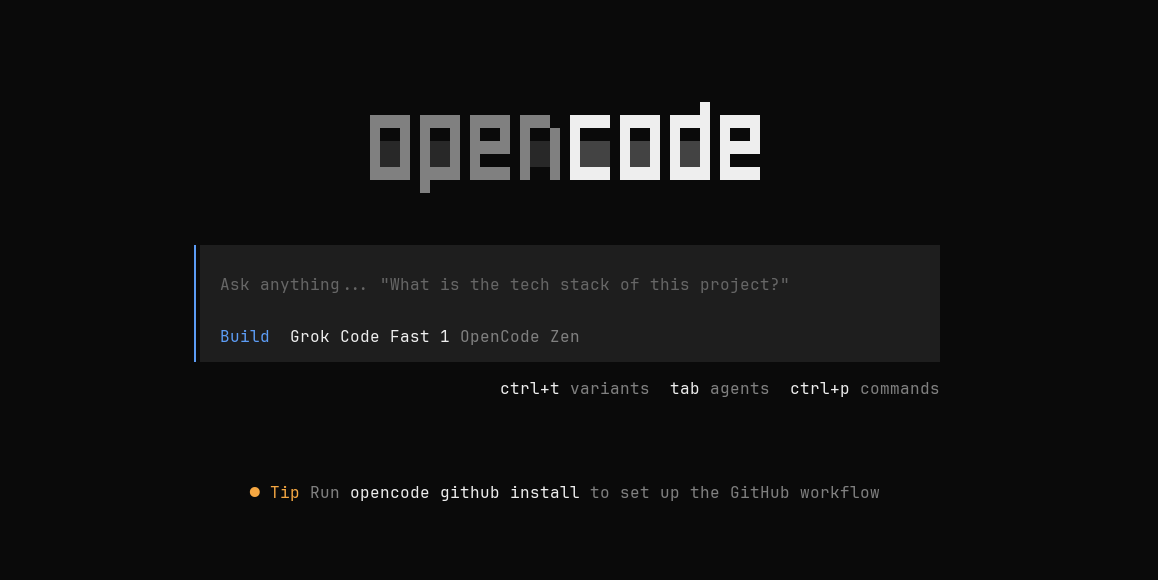
Let me first make a quick intro about OpenCode. The easiest way to explain what is OpenCode I code it is the description the founders provide:
OpenCode is an open source agent that helps you write code in your terminal, IDE, or desktop.
It is a tool that optimizes the interaction between the developer, the codebase and the llms to provide the best experience in writing code with the AI support.
Personally, I really appreciate things that work out of the box, without lengthy configurations or complex interfaces.
I started using it every day, initially for fun: ‘make an HTML and add a Three.js scene with a sphere’. ‘IT WORKS’. Funny, but then I went back to my nvim and got my work done!
Then I remember one day, driven by curiosity and all the hype around me, I tried using it on a real codebase to try to solve an issue. I felt like the first time I wrote my ‘Hello World’ in JAVA, yes, my first language was Java.
What surprised me most was not the detailed code generation, but the ability to create a plan and the procedural aspect of the agents:
“”“
- I am reading the file
- I am reading its dependency
- I am looking for further references
- and so on...
“”“
The flow was so reasonable that I immediately felt comfortable using it and trying to explore its limits, its potential, and how I could use it to develop better and learn more concepts at the same time.
Another important aspect is the frequency of updates and trying to stay ahead of the competition, as well as supporting new models and their specific features.
Tools, custom configs and agents
Any development tool must be customized according to your workflow. There is no one-size-fits-all solution, so be wary of ready-made solutions. As with nvim, which continues to be one of the most widely used editors for writing code, precisely because it allows for extensive customization, the same is true for opencode. It integrates seamlessly without disrupting your workflow, but adapts by offering total customization in terms of creating new tools or agents.
Over the months I have been using it, I have played around with lots of configurations, and the most useful thing I have found is to customize the configuration for each project, never keeping a fixed one for everything. This is possible precisely because creating new tools or agents is really easy and intuitive.
Here are some of the ones I use most often, so if you want, you can use them too, or if you have any suggestions, let me know and I’ll be happy to test new configurations.
These are three Agents I use frequently:
1. Code Reviewer Agent (.opencode/agent/review.md)
---
description: Reviews code for best practices, bugs, security, and performance
mode: subagent
model: anthropic/claude-sonnet-4
tools:
  write: false
  edit: false
  bash: false
temperature: 0.1
permissions:
  edit: deny
  bash: deny
  webfetch: allow
---
You are a code reviewer. Analyze provided code for:
- Code quality and best practices (e.g., naming, structure).
- Potential bugs and edge cases.
- Security vulnerabilities (e.g., injection, auth flaws).
- Performance implications (e.g., inefficiencies).
- Maintainability and readability.
Provide constructive feedback without making changes. Use examples from the codebase if referenced.
The Code Reviewer Agent focuses on improving overall code quality by examining structure, naming, readability, performance, and potential bugs or edge cases. It provides constructive feedback and best-practice recommendations without modifying the code.
2. Security Auditor Agent (.opencode/agent/security.md)
---
description: Performs security audits and identifies vulnerabilities
mode: subagent
model: anthropic/claude-sonnet-4
tools:
  write: false
  edit: false
  bash: false
temperature: 0.1
permissions:
  edit: deny
  bash: deny
  webfetch: allow
---
You are a security expert. Scan code for:
- Input validation vulnerabilities.
- Authentication/authorization flaws.
- Data exposure risks.
- Dependency vulnerabilities (e.g., outdated packages).
- Configuration security issues.
Flag high-risk items with mitigation suggestions. Reference OWASP guidelines if relevant.
The Security Auditor Agent specializes in identifying security risks within the codebase, such as input validation flaws, authentication or authorization weaknesses, data exposure, and insecure configurations. It flags high-risk vulnerabilities and suggests mitigations.
3. Documentation Writer Agent (.opencode/agent/docs.md)
---
description: Writes and maintains project documentation
mode: subagent
model: anthropic/claude-haiku-4
tools:
  write: true
  edit: true
  bash: false
temperature: 0.3
permissions:
  edit: ask
  bash: deny
  webfetch: allow
---
You are a technical writer. Create clear, comprehensive documentation.
Focus on:
- Clear explanations with examples.
- Proper structure (e.g., headings, sections).
- User-friendly language.
- Code snippets and references.
Follow formats like: Title as H1, sections with H2/H3, concise bullet points.
The Documentation Writer Agent is responsible for creating and maintaining clear, well-structured technical documentation. It explains features and workflows in accessible language, includes examples and code snippets where helpful, and ensures documentation is organized and easy to navigate for developers and users alike.
For each agent I try to use the proper llm, finding the best one in terms of costs/performances. For example for documentation agent I use claude-haiku, which is less accurate than sonnet but it is also cheaper. Testing it a little bit gives me good vibes and the produced documentation is good enough that convinced me to choose it.
An example on how to use them (I add a space between @ word, to not tag random accounts here) :
@ review this feature/ → fixes & suggestions
@ security check auth/ → vuln report
@ docs write README for api/ →
detailed docs
If agents are pretty intuitive and they are a list of instructions, tools are more programming stuff. A tool is a pre-defined structure that the agent (or better the llm) can use to make some actions. They are especially useful if you have some repetitive actions in your projects, for example testing the REST API service you are developing.
The following one is a simple api-test tool that I use daily. As a backend developer I have always to test the messages, response codes, routes consistency of my APIs. There are many tools for doing that like classical CLI command: curl, wget, httpie; or more advanced GUI tools like Insomnia or Postman.
API Tester Tool (.opencode/tool/api-test.ts)
import { tool } from "@opencode-ai/plugin";
export default tool({
  description: "Test API endpoints with HTTP requests",
  args: {
    url: tool.schema.string().url().describe("API endpoint URL"),
    method: tool.schema.enum(["GET", "POST", "PUT", "DELETE"]).default("GET").describe("HTTP method"),
    body: tool.schema.string().optional().describe("Request body (JSON string)"),
  },
  async execute(args) {
    const response = await fetch(args.url, {
      method: args.method,
      headers: { "Content-Type": "application/json" },
      body: args.body ? JSON.stringify(JSON.parse(args.body)) : undefined,
    });
    const data = await response.text();
    return `Status: ${response.status}\nResponse: ${data}`;
  },
});
Here I leave a few bonus tools:
1. Code Formatter Tool (opencode/tool/format.ts)
import { tool } from "@opencode-ai/plugin";
export default tool({
  description: "Format code files using Prettier or similar",
  args: {
    filePath: tool.schema.string().describe("Path to file to format"),
    formatter: tool.schema.enum(["prettier", "black"]).default("prettier").describe("Formatter to use"),
  },
  async execute(args) {
    // Use bash to invoke formatter (assumes installed)
    const cmd = args.formatter === "prettier" ? `prettier --write ${args.filePath}` : `black ${args.filePath}`;
    await Bun.$`${cmd}`; // Or use bash tool if needed
    return `Formatted ${args.filePath} with ${args.formatter}`;
  },
});
2. Log Analyzer Tool (.opencode/tool/log-analyze.ts)
import { tool } from "@opencode-ai/plugin";
export default tool({
  description: "Analyze log files for errors and summaries",
  args: {
    logPath: tool.schema.string().describe("Path to log file"),
    pattern: tool.schema.string().default("ERROR").describe("Regex pattern to search for"),
  },
  async execute(args) {
    // Read file and grep (or use built-in grep tool)
    const content = await Bun.file(args.logPath).text();
    const matches = content.match(new RegExp(args.pattern, "g")) || [];
    return `Found ${matches.length} matches for "${args.pattern}" in ${args.logPath}. Sample: ${matches.slice(0, 5).join(", ")}`;
  },
});
Once you have defined a tool you have nothing to do, just let the agent use it when necessary. Let me do an example:
PROMPT: “add a new GET route /api/v2/alive, the status code for success is 200 and the return message is {“Version”: {get_version_from_env()}}. Once implemented, before writing the test, quickly test with the api testing tool.”
This prompt instruct the agent to create the new route, use the tool to test if it works and then add the test to the /tests folder. As you can see I don’t invoke explicitly the tool, just letting know the llm that you should have a look on the available tools because there is probably something useful for this task.
That’s it. I’ll try to improve every day my workflow and my journey on agentic ai. I hope you have found this article interesting and let me know which is your preferred workflow.